Stop losing viewers in the first three seconds. An automatic subtitle generator puts the right words on screen at the right time — and Subcap does it from your phone, in any language, in under a minute.
You’ve spent hours filming, editing, and refining your video — and then 85% of your audience watches it on mute and scrolls past anyway. Captions aren’t optional anymore. They’re the single highest-ROI addition you can make to any video you post on TikTok, Instagram, or YouTube.
The problem? Most captioning tools are either clunky desktop apps, expensive SaaS platforms, or mobile apps that still make you fix every sentence by hand. That’s where Subcap changes the game.
📊 85% of viewers watch videos with the sound off. Subtitled videos get 35% more engagement on social media. Subcap supports 125+ languages — so your captions reach everyone, everywhere.
What Is an Automatic Subtitle Generator — and Why Does It Matter?
An automatic subtitle generator uses AI-powered speech recognition to transcribe the spoken words in a video and overlay them as timed captions — with zero manual typing. The best tools do this in seconds, support multiple languages, and let you customize every visual detail of the output.
For content creators, this used to mean uploading to a slow web app, waiting minutes, downloading, then re-uploading to your editing software. Subcap skips every one of those steps. You import your video, tap one button, and captions appear — ready to fine-tune and export in 4K, all from your phone.
📌 Quick fact: According to the World Health Organization, over 1.5 billion people live with some degree of hearing loss. Adding subtitles isn’t just a good engagement strategy — it’s making your content accessible to a global audience.
6 Reasons Subcap Is the Smartest Auto Caption Generator for Mobile Creators
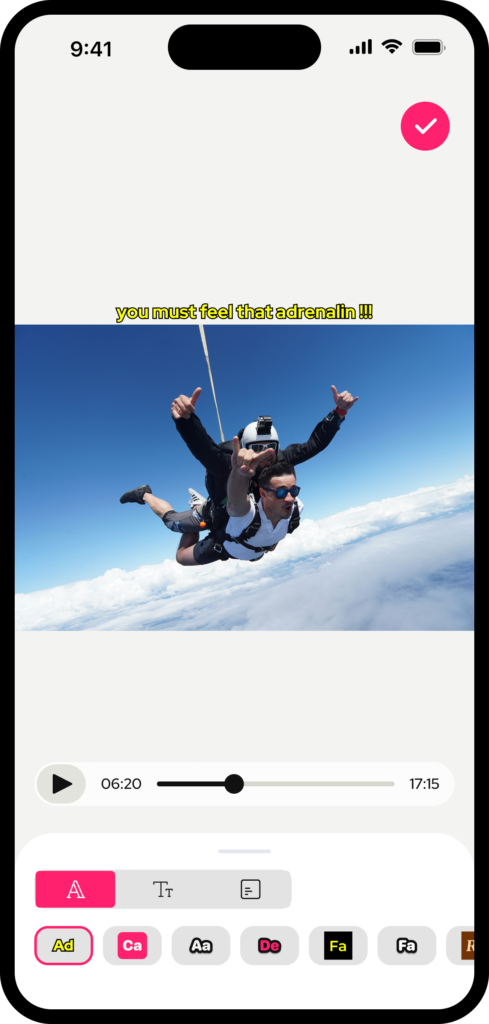
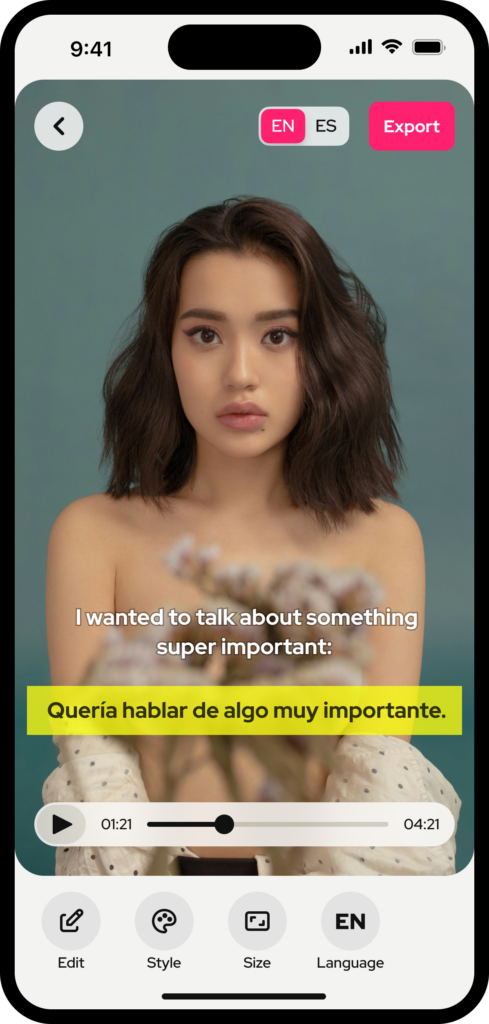
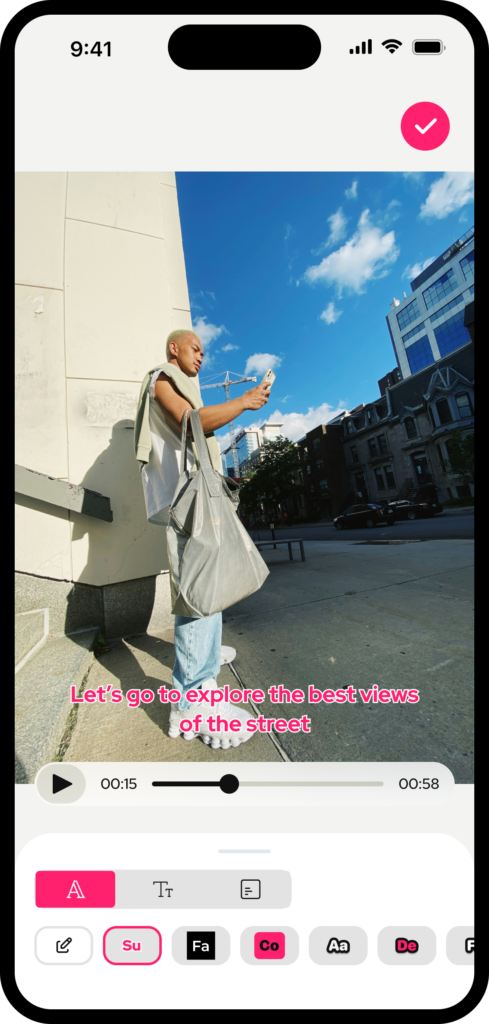
⚡ AI-Powered Subtitles in Seconds
Subcap’s speech recognition engine generates accurate captions instantly — no queue, no waiting. Upload your video, tap once, and your subtitles are ready to edit.
🌍 125+ Language Support
Translate your captions for any audience. Break language barriers without leaving the app — ideal for creators targeting a global or multilingual audience.
🎨 Full Caption Customization
Choose from 900+ Google Fonts, adjust color, size, background, and position to match your brand. Upload your own fonts too.
📐 Platform-Ready Video Formats
Square for TikTok. Vertical for Instagram Reels. Horizontal for YouTube. One tap to resize your video to the right format before you export.
📄 SRT File Export & Import
Work with professional subtitle files. Export or upload SRT files for seamless editing workflows — perfect for video editors and professional producers.
🏆 4K Export Quality
Export your captioned video in 4K, 1080p, or 720p. Your subtitles look sharp and professional at every resolution.
Subcap vs. The Competition: Which Automatic Subtitle Generator Wins?
There’s no shortage of captioning tools — Canva, VEED.io, Zeemo, and Captions.ai all offer subtitle features. But each comes with trade-offs. Here’s how Subcap compares across the features that matter most to mobile-first creators:
| Feature | Subcap ✅ | VEED.io | Zeemo | Captions.ai |
|---|---|---|---|---|
| Mobile-first app | ✔ | ✗ | ✔ | ✔ |
| AI auto subtitle generation | ✔ | ✔ | ✔ | ✔ |
| 125+ language translation | ✔ | ✗ | ✔ | ✗ |
| Custom font upload (900+) | ✔ | ✗ | ✗ | ✗ |
| 4K video export | ✔ | ✔ | ✗ | ✗ |
| SRT file export / import | ✔ | ✔ | ✗ | ✗ |
| Logo watermark / branding | ✔ | ✗ | ✗ | ✗ |
Looking for a Zeemo alternative or a free VEED.io alternative? Subcap delivers more captioning-specific power at a fraction of the price — without forcing you to a desktop browser.
How to Add Subtitles to Any Video in 4 Steps
- Import your video — Open Subcap and select any video from your camera roll, or record a new one on Subcap.
- Generate captions automatically — Tap the AI button. Subcap’s speech engine transcribes your audio and places captions in seconds.
- Customize your style — Pick a font, adjust colors, reposition captions, add your logo, or translate to another language.
- Export & post — Choose your resolution (up to 4K) and the right format for your platform. Done — post it.
Who Should Use an Automatic Subtitle Generator?
Short answer: anyone who posts video. But here are the three groups who see the biggest impact.
Content Creators on TikTok, Instagram & YouTube
The algorithm rewards watch time. Captions keep silent scrollers watching. Using Subcap’s TikTok caption generator or its Instagram Reels caption tool can meaningfully lift your average watch duration — and with it, your reach.
Businesses & Marketers
Brand videos without captions lose 85% of their potential audience at a scroll. Subcap lets you add professional, on-brand subtitles with custom fonts and logo overlays — making every product video, testimonial, and ad feel polished and accessible.
Everyone Sharing Moments
You don’t need to be a creator to want your videos understood. Birthday messages, travel clips, event recaps — captions make every video more watchable for everyone, including the 466 million people worldwide living with hearing impairments. Learn more about video accessibility best practices from the W3C Web Accessibility Initiative.
The Bottom Line
An automatic subtitle generator is no longer a “nice to have” — it’s table stakes for any video published online. The best one is the one you’ll actually use: fast, mobile-friendly, accurate, and powerful enough to make your content look professional.
Subcap was built for exactly that. Download it free, generate your first batch of captions in under a minute, and see the difference for yourself.
👉 Download Subcap free and caption your first video in under 60 seconds.
Keep Reading
Captions That Don’t Ruin Your Aesthetic: Subcap’s Clean Designs