The Best Subtitle Generator Online Free — And Why Your Phone Is Enough
If you’ve ever searched for a subtitle generator online free, you already know the struggle: slow browser tools that crash on large files, clunky

iPhone
Your iPhone can now caption a video while you watch it. Subcap captions the video you share, so your viewers get them too.
Since iOS 27, iPhone 15 Pro and newer models, iPhone Duo included, can generate subtitles on the device for videos that have none: clips you recorded, clips friends sent you and videos playing in Safari. Apple describes the feature as private, on-device and limited to English in the US and Canada at launch. You turn it on or off under Settings › Accessibility › Subtitles & Captioning, and you can adjust how the text looks.
It is a watching feature. The subtitles are drawn by the player while the video plays, so they are not in the video file. Share the clip to Instagram, TikTok or YouTube and your viewers see it exactly as you recorded it: silent for the majority who watch with the sound off.
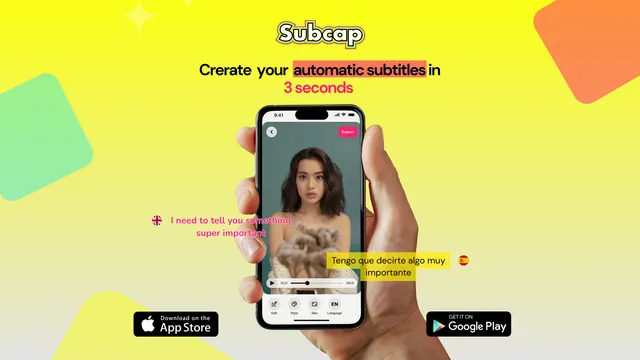
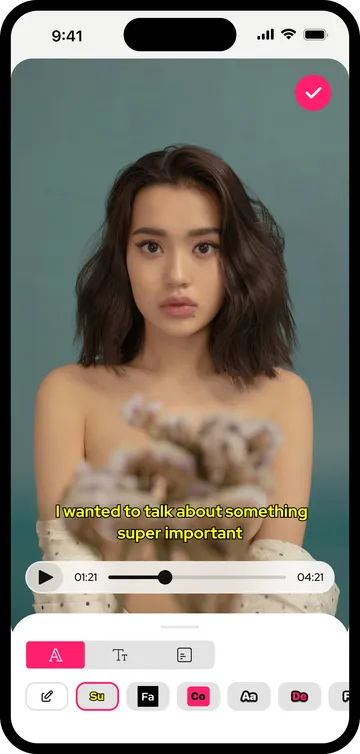
Subcap is a caption app for videos you publish. It transcribes the speech, lets you fix every line, styles the captions to match your look and burns them into the exported video. The captions are part of the file, so they show up on every platform, every device and every player, with no setting for your viewers to turn on.
Along the way you get what a creator needs and an accessibility feature does not try to give: 100+ languages with automatic detection, translation and bilingual subtitles (two languages on one video), fonts, colors, positions and word-by-word highlight styles, SRT import and export, and the same app on Android.
If you only want to follow a video someone sent you, or watch your own clip on mute, iOS 27 does the job and you need nothing else. Subcap is for the moment you post.
| Feature | iOS 27 Automatic Subtitles | Subcap |
|---|---|---|
| Where the captions live | In the player, while you watch on your device | Burned into the exported video, visible on every platform |
| Viewers on Instagram, TikTok, YouTube see them | No | Yes |
| Languages | English, in the US and Canada at launch | 100+ languages, auto-detected |
| Translate and show two languages at once | No | Yes |
| Edit the text, fonts, colors and position | Appearance settings only | Yes |
| Works on Android too | No | Yes |
| Runs on | iPhone 15 Pro, iPhone 16 and later, including iPhone Duo | Any iPhone with iOS 15.6 or later, including iPhone 17 and iPhone Duo |
| Price | Included with iOS | First automatic caption video free, then Pro |
Built-in column: Apple's Automatic Subtitles as described for iOS 27 (Settings › Accessibility › Subtitles & Captioning). Subcap column: the app as of version 4.1.
Open Subcap, choose a clip from your library or record one. Subcap detects the spoken language, or you pick it.
Tap Generate. Captions arrive in seconds, synced to the speech. Fix any word by hand if you need to.
Choose a style, font, color and position, add a translation if you want two languages, then export in 720p, 1080p or 4K.
More in the FAQ and on the pricing page.
If you’ve ever searched for a subtitle generator online free, you already know the struggle: slow browser tools that crash on large files, clunky
You’ve just filmed a video on your iPhone and you want to add automatic subtitles before sharing, but you don’t want to spend hours doing it manually.
Your first automatic caption video is free. No desktop, no upload to a website.