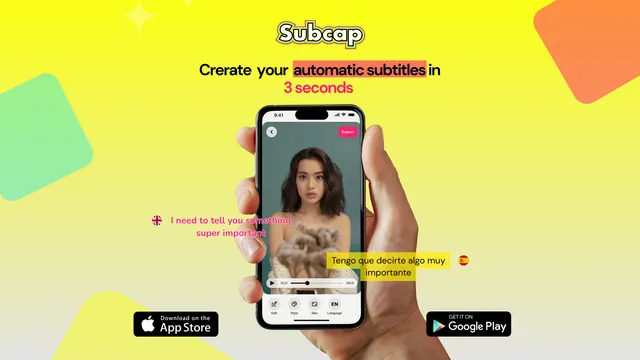
Breaking Language Barriers: How Subcap Helps Brands Go Global
The world is experiencing a wild change in terms of technology. With the acceleration of AI, the world is connected deeply more than ever!

Bilingual
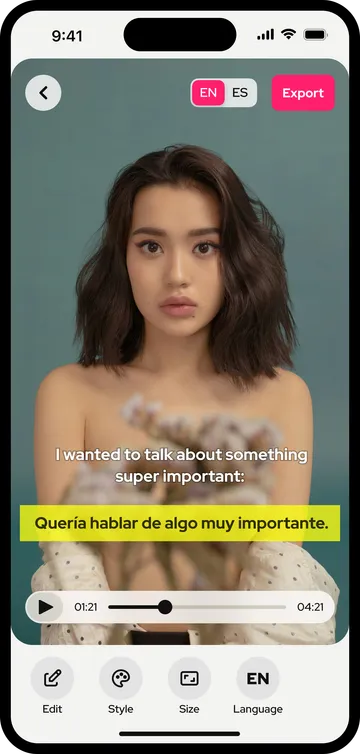
Transcribe the video, add a second language, show both at once. Each language gets its own position and style, and the captions stay in the exported video.
Creators with a bilingual audience: a Turkish channel with viewers in Germany, a Brazilian creator with followers in Portugal and the US, a Spanish-speaking family account watched in two countries. Teachers and language coaches who want the original line and its translation on screen at the same time. Brands and teams that post one clip to several markets and do not want to cut a version per language.
One video, both audiences, no second edit.
Subcap transcribes the spoken language first and lets you fix every line. Then you add a translation from 100+ languages and switch on Display Secondary Language: both appear in the player. Each language has its own position and style, so the original can sit in bold at the bottom while the translation runs smaller above it, or the other way round. Export picks up both lines and burns them into the video, so they look the same on Instagram, TikTok, YouTube or a slide in a meeting.
If a translation needs a human touch, edit it line by line, the same way you edit the original.
Keep both lines short: two languages double the text on screen, so Subcap’s shorter caption lengths and a smaller translation style keep the video readable. Pick a different color or weight for the translation so viewers can tell the two apart at a glance. And export in the resolution you post at; small text in 720p looks soft on a large phone.
| Feature | Instagram Edits | Subcap |
|---|---|---|
| LanguagesTranscription and translation. | 15 | 100+ |
| Where the video can goCaptions are part of the exported file. | Reels | Any platform |
| Fix any line by handOriginal and translation. | Yes | Yes |
| Works with any videoNot only clips made inside the app. | Clips edited in Edits | Yes |
| PriceWhat the second language costs. | Free | First caption video and first translation free, then Pro |
Instagram Edits column as of its July 2026 update. Subcap column: the app as of version 4.1. The first automatic caption video and the first automatic translation are free in Subcap; after that, translation is Pro.
Open a video, let Subcap detect the language and generate the captions. Fix any line.
In the Language section, tap Add New Language and pick the translation. Then tap Display Secondary Language and choose it.
Position each language on the screen, adjust the styles if you like, pick both languages in the export screen and export in 720p, 1080p or 4K.
More in the FAQ and on the pricing page.
The world is experiencing a wild change in terms of technology. With the acceleration of AI, the world is connected deeply more than ever!
You’ve just filmed a video on your iPhone and you want to add automatic subtitles before sharing, but you don’t want to spend hours doing it manually.
Your first automatic caption video and first automatic translation are free. Go Pro for every video after that.